Segments
Segment is a saved set of filtering criteria that can be reused to send targeted push notifications to selected devices.
To follow the instructions below, sign in to your Push0 account and navigate to the dashboard.
1. Creating Segment
- In Navigation Management section pick Segments
- Click Create segment
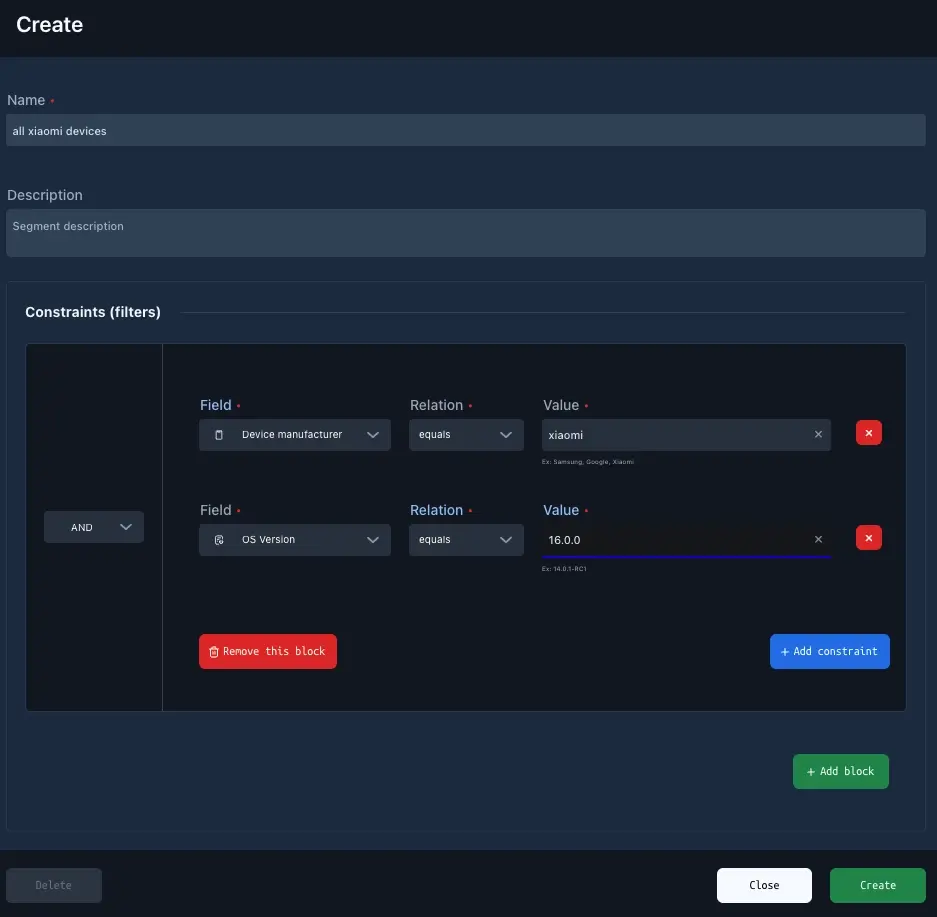
1 - Name (required)
Name of the segment
2 - Description (optional)
Description of the segment.
3 - Constraints (optional)
A segment is composed of blocks, each containing a set of criteria (filters).
Blocks are evaluated using an AND condition, while filters within a block can be combined using either AND or OR.
Each individual filter has an relation that depends on the selected field. The relation defines how the value is matched. For example, the “type” field supports relations such as “equals” and “not equals.”
Available filter fields:
- App version - Application version. Ex: 1.0.1, 2.5.11
- App version code - Application build version number. Ex: 1, 9, 9097
- Created date - Date when user was created in Push0.
- User email - User email address. Set using SDK code.
- User custom id - User custom id. Set using SDK code. Might be user id from your backend.
- Device manufacturer - Name of the device manufacturer. Ex: Samsung, Xiaomi, Huawei
- Device model - Name of the device mode. Ex: S23, Redmi Note 10
- User first session date - First ever connection session to Push0 servers
- User last session date - Last connection session to Push0 servers
- Country name - The country/region code, ISO 3166 2-letter code, or a UN M.49 3-digit code, Ex: US, PL
- Timezone - Ex: UTC, GMT, Europe/London, Australia/Sydney, Asia/Singapore.
- Language - Language code. 3 letter code, Ex: eng, pol, kor.
- OS Api - Operating system api number
- OS version - Operating system version. Ex: 14.0.1-RC1
- Session count - Number of user session which equals to number of running Push0.initialize. Ex: 9, 100, 595
- Tags - Tags separated by ",". Ex: new, purchase_basic
- Type - Device type. Ex: tablet, phone, watch.
Danger
If a segment has no blocks or filters defined, it is treated as “send to all.”
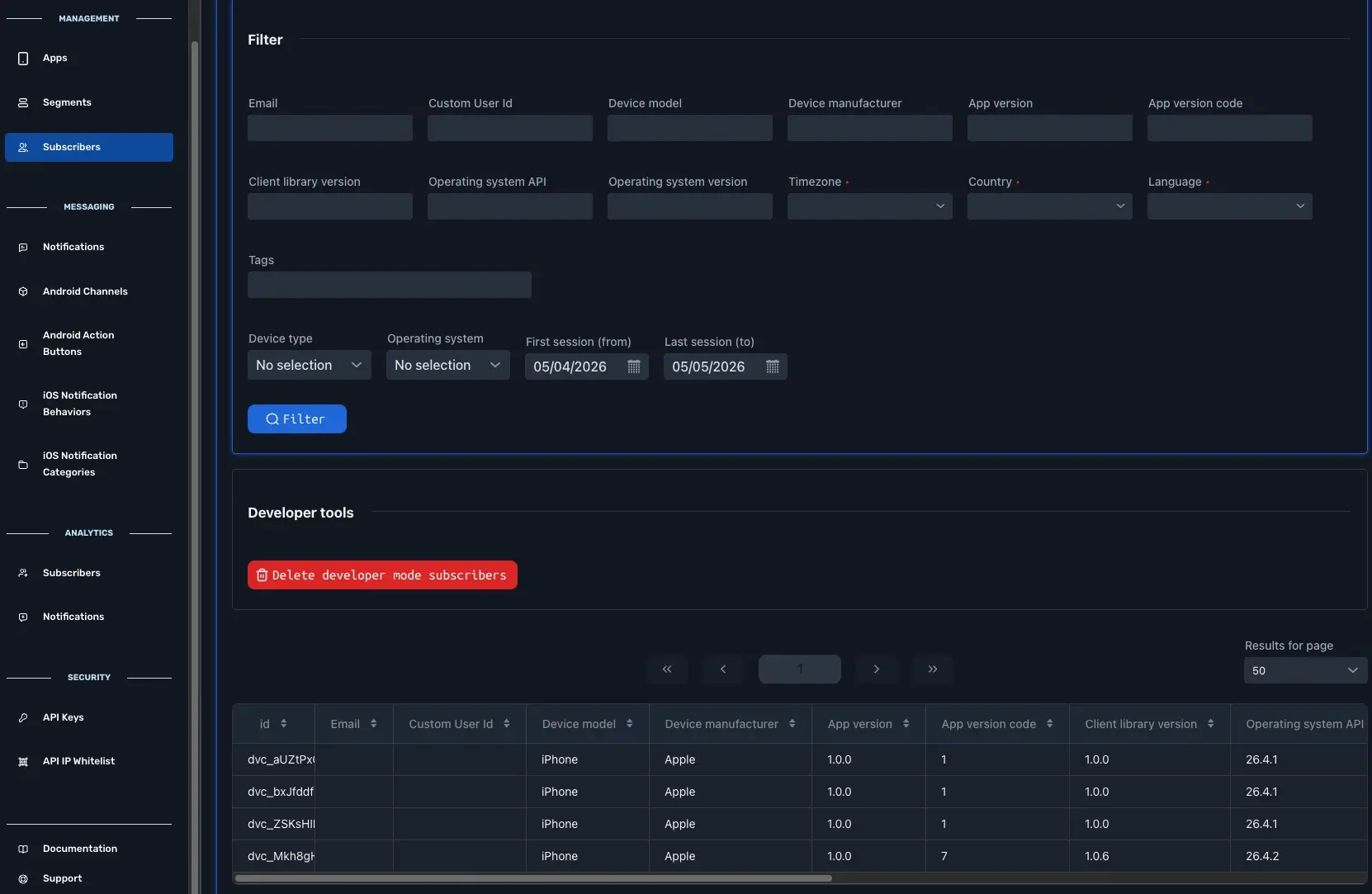
4 - Subscriber Field values
Lookup of available and used values is available in Subscribers section
5 - Create
Done